
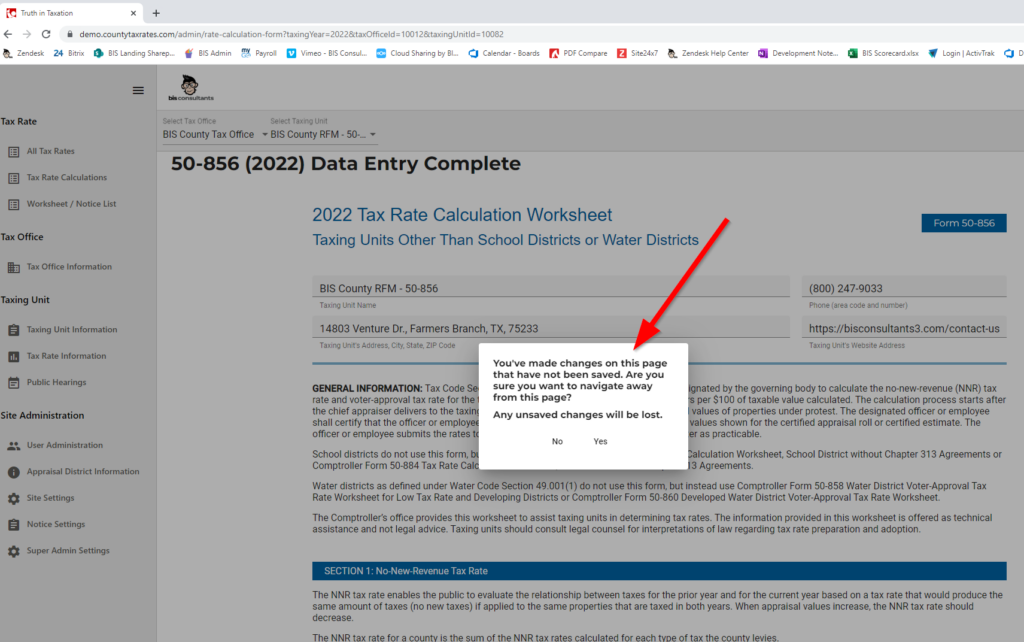
Save Changes Pop-Up
- This feature will alert the client if they try to navigate away from a page without saving first.
Not in Current Year Warning Message
- This feature will alert the client if they select a prior tax year in the ‘Select Tax Year’ dropdown.

Import Worksheet Data
- This function allows the client to import data into the tax rate worksheets.
Tax Rate>Tax Rate Calculations
Select Tax Office
Select Taxing Unit
Click Import 2022 Worksheet Data

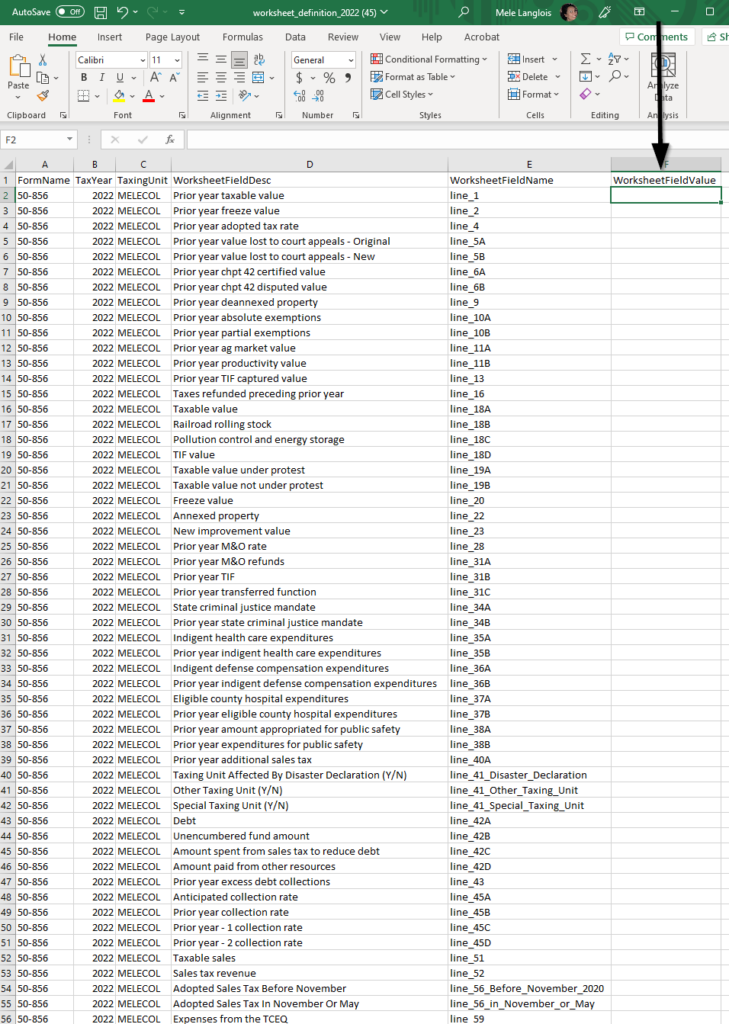
Click here to download the import template

Enter or copy and paste data into WorksheetFieldValue
Save the template
Click Upload a CSV file
Click Import
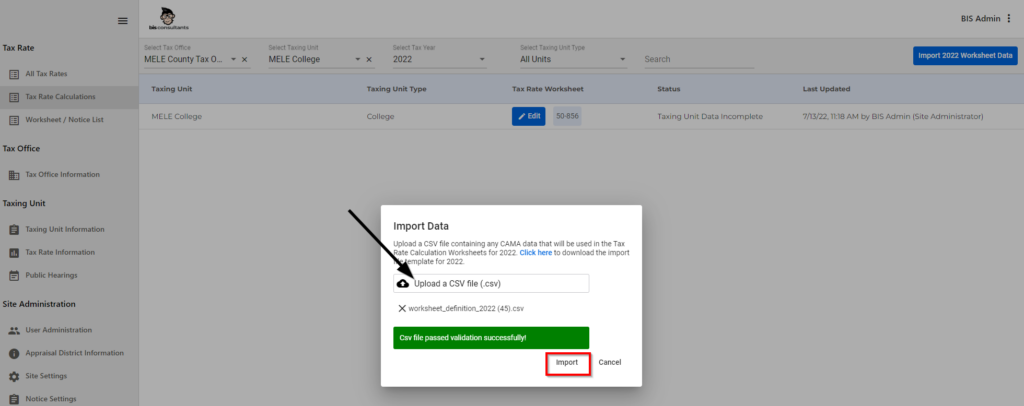
Once the CSV Template has been imported
Click Cancel
Click Edit to review the worksheet

Public Opinion of Proposed Tax Rates by Taxing Unit
- Provided a title to the Public Feedback chart in the SB2 website.

Copy to New Year Pop-up
- This feature will inform the client what years they are copying from and copying to.Site Administration>Site Settings>Copy to New Year
