
Online Forms/Taxpayer Portal/Admin February 5, 2026
Online Forms: New Online Forms User Role for CAD Admin
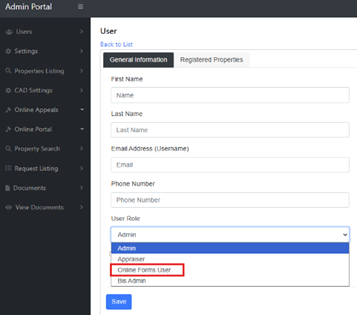
- You can now add a new CAD user in Admin specifically as an Online Forms user. This role allows the user to log into Admin with access limited to the Online Forms dashboard only. Administrators can configure the Online Forms user’s access and permissions to forms in the Online Forms Dashboard.
- You can add a new user by logging into the BIS Admin Portal, viewing the “Users” menu, and then clicking “Add New User” in the top right corner.
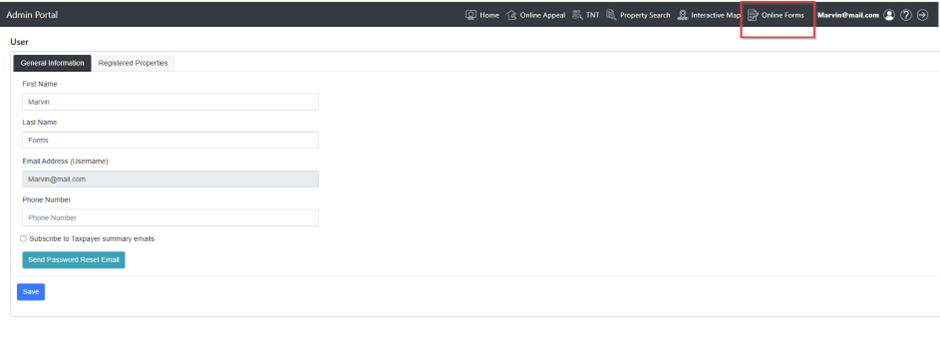
- The new Online Forms user will log into Admin and then click the “Online Forms” quick link in the header to access the Online Forms dashboard.
Admin: Update Appraiser User Role Access
- The Bis Admin user role, Appraiser, has been updated. Users created with an Appraiser role will be able to log into Admin and access the Online Appeals dashboard and the Online Forms dashboard via the quick links in the site header. Appraiser users will not have access to the site settings menus.

Online Forms Version 2: User Management Update
- All Online Forms Admin users are now added and managed within the BIS Admin Portal under the Users menu. To remove staff member access to Online Forms, please contact BIS Support. BIS will remove the user from the Admin Portal, which will automatically revoke their access and permissions in the Online Forms Dashboard. (All Online Forms clients are currently being migrated to version 2.)
Online Forms: Homestead Exemption Form Required Fields Update
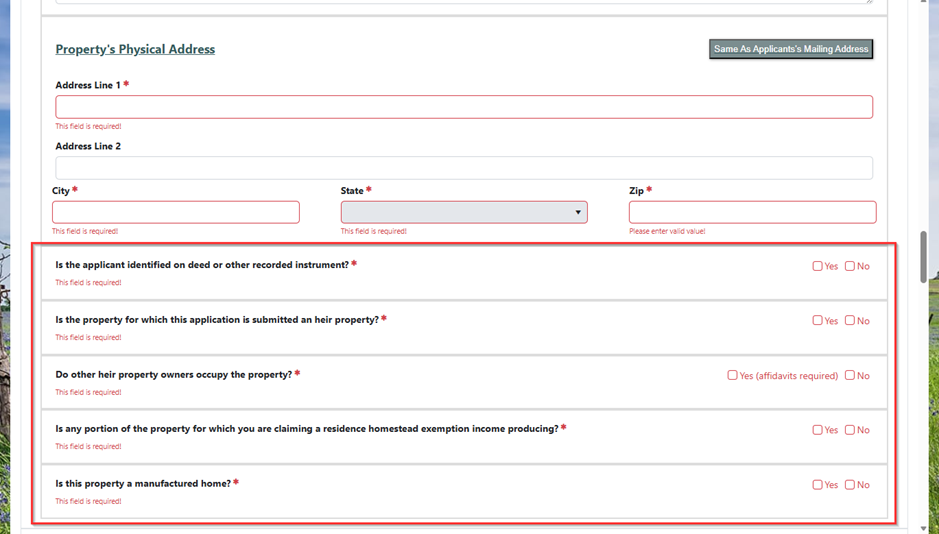
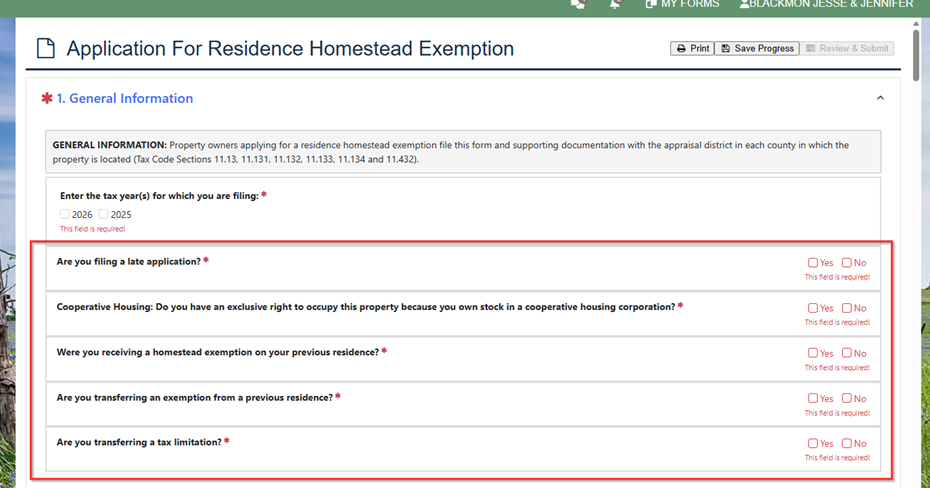
- The Online Forms Homestead Exemption application form has been updated so that more of the forms entry fields are required to be answered by the taxpayer. No new questions or fields were added as part of this update. This change helps ensure the form is completed more fully and accurately. The newly required fields are shown below.

Online Forms: Business Personal Property (BPP) Rendition Form Update
- A new section from the Texas State Comptroller related to Market Value has been added to the Online Business Personal Property Rendition form to mimic state form 50-144.

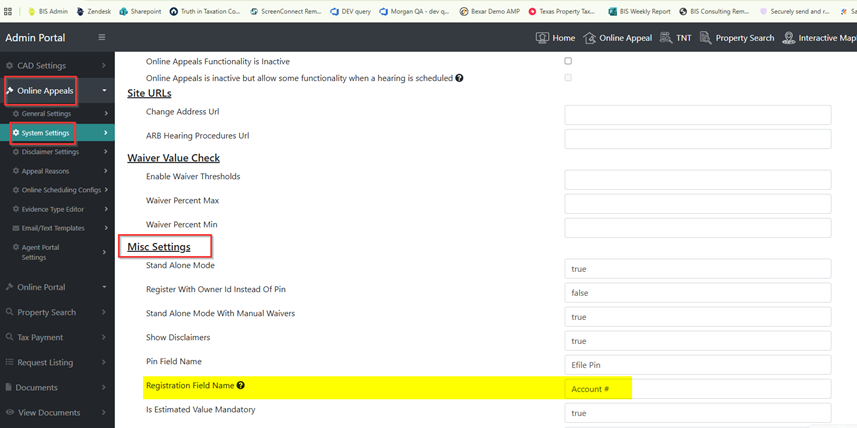
Taxpayer Portal: (Stand Alone Clients) Registration Field Name Setting.
- A new system setting has been added that allows standalone Cama clients to customize the name of the Property ID registration field in the Taxpayer Portal. Please note: this setting will not function for Harris Cama clients. Harris Cama clients will use Owner ID for their registration process.
- Clients can now rename the field to better match the credentials they want users to register with (for example, changing Property ID to Account #).
- This setting can be found in BIS Admin > Online Appeals > System Settings > Misc. Settings > Registration Field Name.

Taxpayer Portal: Registration Screen update
- The Taxpayer Portal registration screen has been updated. After entering their registration credentials, users will now click a button labeled “Register Account” instead of “Add Property.” This change reflects the updated registration process, which now registers users by Owner ID, and provides clearer, more accurate guidance during account setup.
