Property Search/BIS Admin/Online Forms/Agent Appeals
Property Search (Harris Clients) Advanced Search by Subdivision
- For Harris clients, the Advanced Search option within Property Search has been enhanced to improve subdivision search results and overall accuracy.
BIS Admin – Update to User Menu Grid
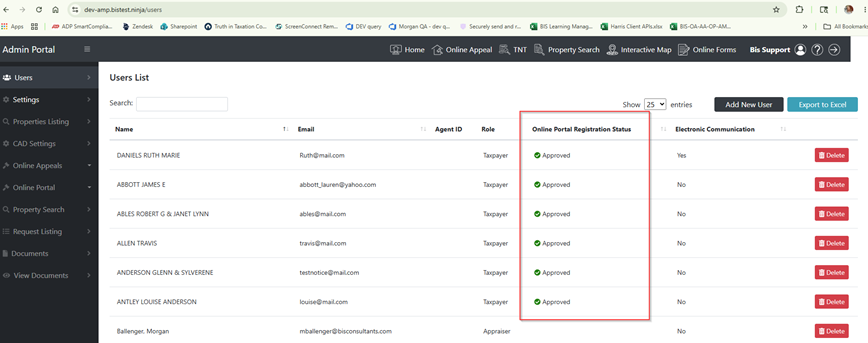
- The BIS Admin User Menu grid has been updated to remove the Online Portal Registration Status column. This column was associated with the address-based user registration feature, which is no longer in use.
BIS Admin – Users Menu Sort by User Role
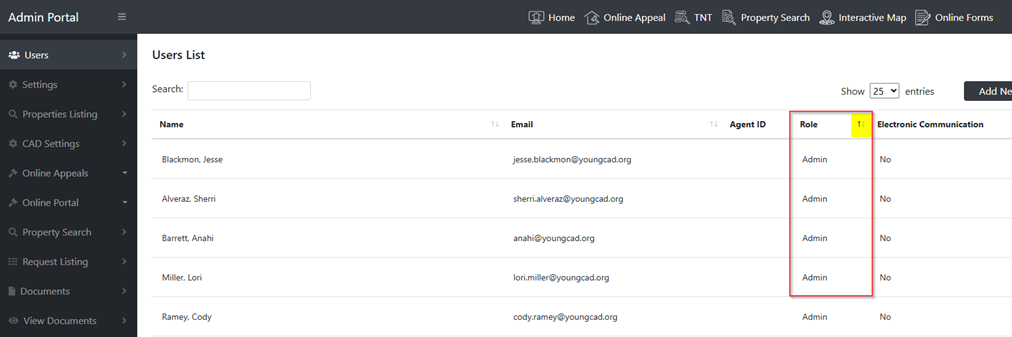
- The BIS Admin Users menu has been enhanced to allow sorting by user role, improving user management and navigation.
Online Forms – Alert for Supporting Documents
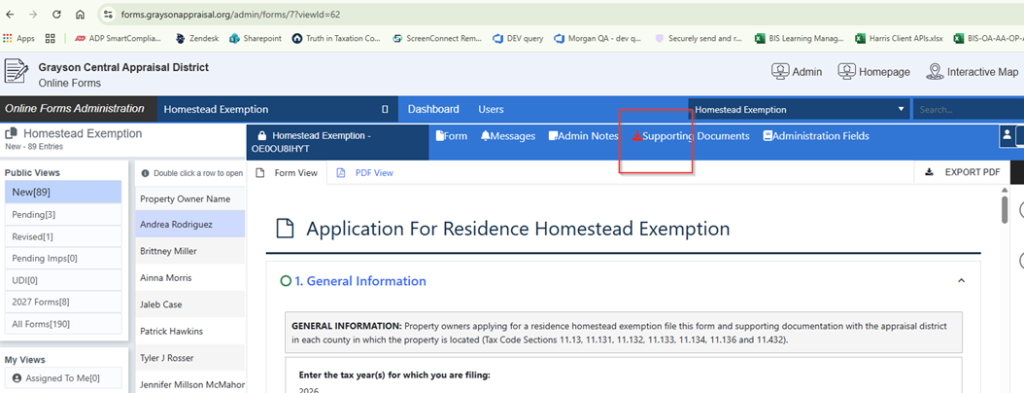
- The Online Forms Admin Dashboard has been enhanced to better identify forms with uploaded supporting documents. A new red indicator icon now appears on the Supporting Documents tab when attachments have been submitted with a form.
Online Forms – New Setting to Display Admin Status in User’s view
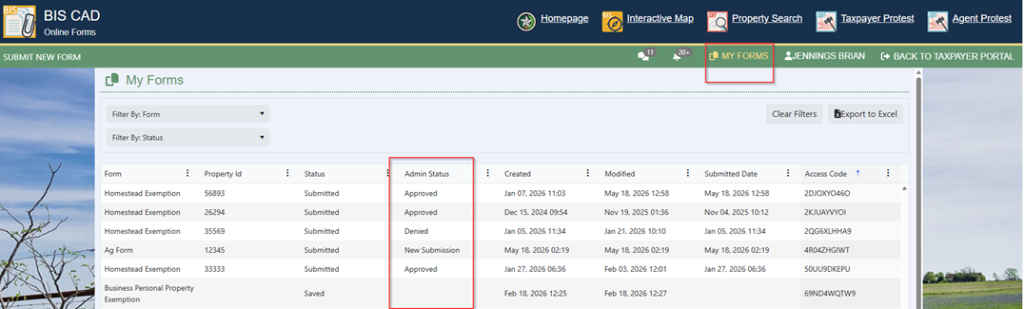
- A new setting has been added that allows the Form Admin Status to be displayed in the taxpayer “My Forms” view. When enabled, users will see an Admin Status Column in the My Forms grid displaying the current status assigned to the form within the BIS Form Admin Dashboard. If you would like to display this column for your taxpayers in online forms, please contact BIS Product support to enable the setting.
Agent Appeals – Update to Agent Summary Emails
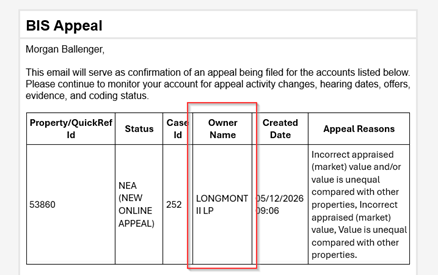
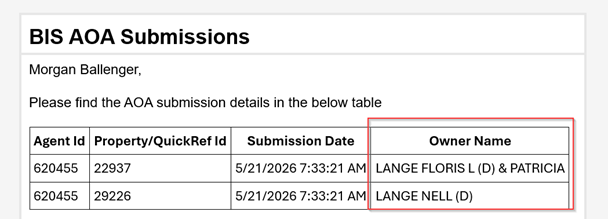
- Confirmation emails for Agent-submitted AOAs and Agent Appeal Activity have been enhanced to include the property owner in the information grid, making it easier to quickly identify the associated accounts.