Taxpayer Portal and Admin Portal – February 5, 2025
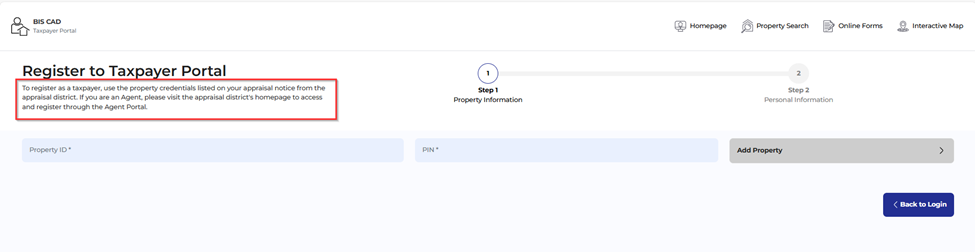
Taxpayer Portal: Added instructional verbiage to registration screen.
- Instructional text has been added to the Taxpayer Portal registration screen. We are currently working to add a setting to the Admin Portal settings to make this text field configurable by the client.
Taxpayer Portal: Updated landing page disclaimer verbiage.
- The landing page disclaimer verbiage has been updated to a brief description of what the user can expect in the Taxpayer Portal. A snippet of the Tax Code Section 1.085(a-1) has also been included as this has been requested by some MAPS reviewers.
- The landing page disclaimer text is configurable by client in the Admin Portal Settings: Admin> Online Portal> Disclaimer Settings> Disclaimer Text


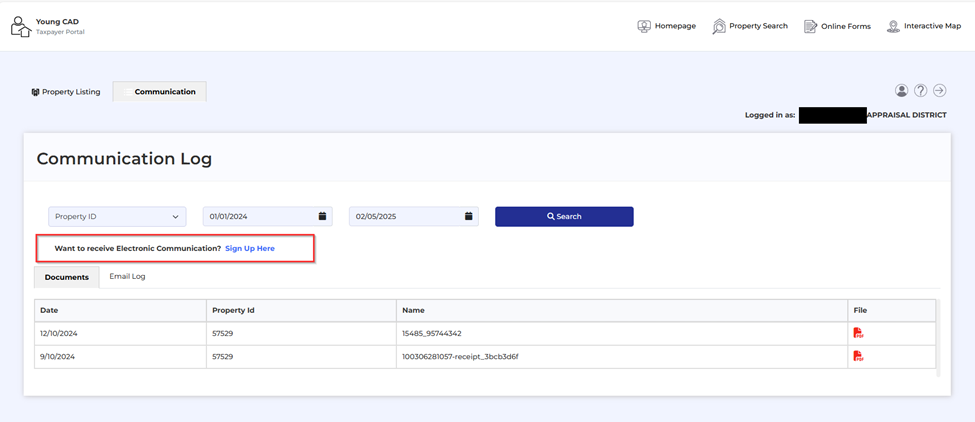
Taxpayer Portal: Updated text for electronic communication link on the Communication page
- Text now reads “Want to receive Electronic Communication? Sign Up Here” with a link that redirects user to the Electronic Communication page where they can complete an online form to enroll in electronic communication with the appraisal district.
Taxpayer Portal: Added disclaimer to ‘My Profile’ menu.
- Under the ‘My Profile’ menu in the Taxpayer Portal verbiage has been added to let the user know if they need to update their user information (name/email/phone number) they need to contact the appraisal district or local office.
- If a user contacts you to update this information, please put in a help ticket with BIS at productsupport@bisconsultants.com. This data will need to be updated in our database and for Harris clients we will need to work with Harris Support to update data in PACs.

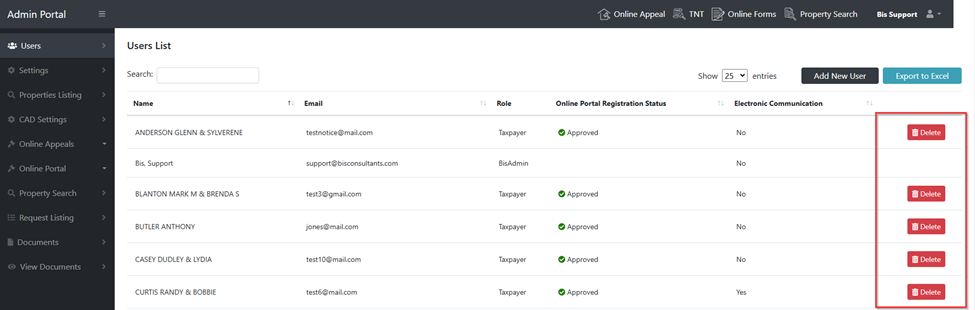
Admin: The ‘Delete’ user button has been removed from the Users list.
- The ‘Delete’ button has been removed from the Users menu list as this was a soft delete and did not completely remove the user from the database. If a client needs to remove a user, please put in BIS product support ticket by emailing us at productsupport@bisconsultants.com.
Admin Portal: Added password criteria to users reset password popup.
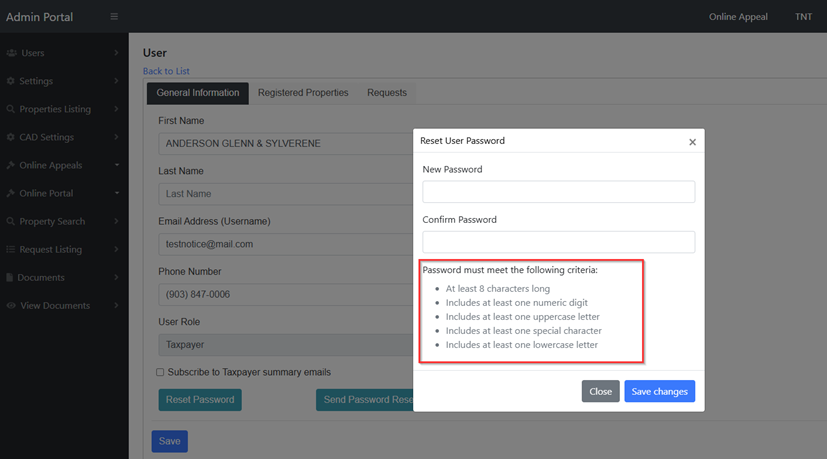
- Admin Portal users can manually reset any user’s password in the Users menu. The minimum password criteria have been added to the reset password pop up window for clarity.
- Passwords must include the following:
- At least 8 characters long
- Includes at least one numeric digit
- Includes at least one uppercase letter
- Includes at least one special character
- Includes at least one lowercase letter
- The column header text has been updated to ‘Online Portal Registration Status’ for more clarity. The approved and pending status displayed refers to the user registration status only.
- If you allow users to register in the Taxpayer Portal by property address, you will see pending registrations that need manual approval.
- If you have the register by property address feature disabled, you will only see approved status in this column.

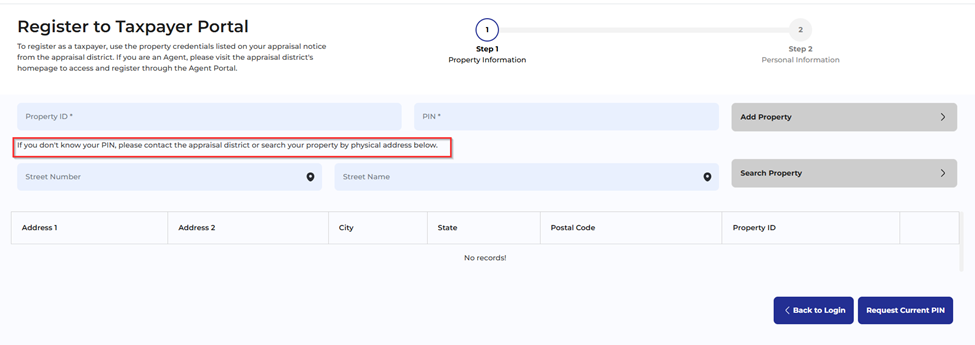
Taxpayer Portal: Updated text for registration by property address feature.
- If you have the feature to register in the Taxpayer Portal by property address enabled, users will see the updated disclaimer text, “If you don’t know your PIN, please contact the appraisal district or search your property by physical address below.”
- The registration by property address feature can be turned on/off in the Admin Portal settings. Log into Admin Portal> Online Portal, General Settings> Enable Registration by property address and check the box to turn on this feature.

Admin Portal: Added setting to receive email alerts when Taxpayer Portal user submits a request for documents.
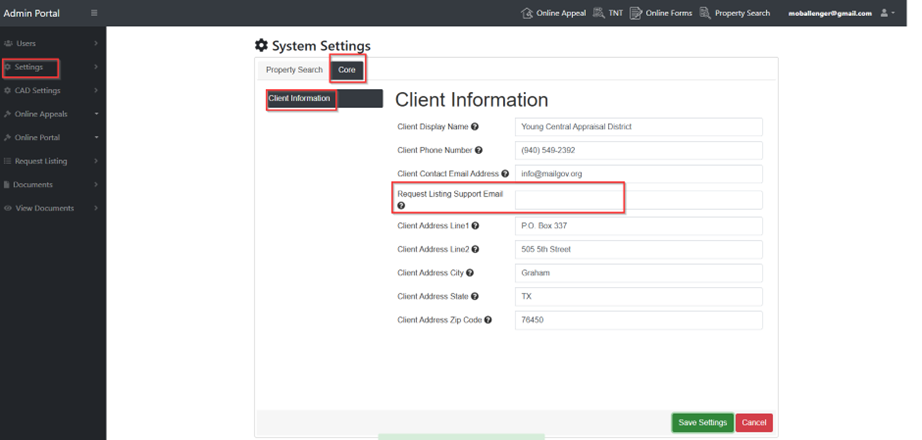
- If you are using the taxpayer communication feature in the Taxpayer Portal, your users will be able to submit requests for documents directly to your office. A new setting field has been added in the Admin Portal settings for your office to enter an email address for staff who will monitor and reply to these requests to receive an alert.
- Log into the Admin Panel> Settings> Core> Client Information> Request Listing Support Email: enter in your staff email address for the person who would like to receive email alerts when a new request is submitted. Currently the email setting only supports one email address. We are currently working on the ability to allow more than one email to be used in this setting.
Admin Portal: The BIS Admin setting panel has been renamed “Admin Portal”.
- The Bis Admin settings panel has been renamed “Admin Portal” for clarity and consistency with our other products. This is where Client Admin users will manage settings, request for documents and access the online appeals admin dashboard.

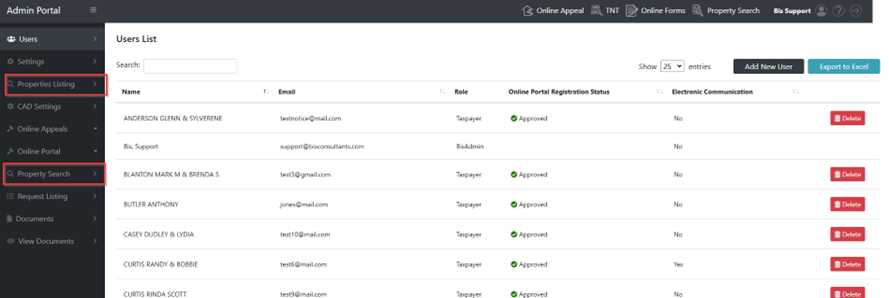
Admin Portal: Removed access to ‘Property Search’ and ‘Property Listing’ menus.
- These menus are still under development and will not be visible to client Admin Portal users until further development is completed.

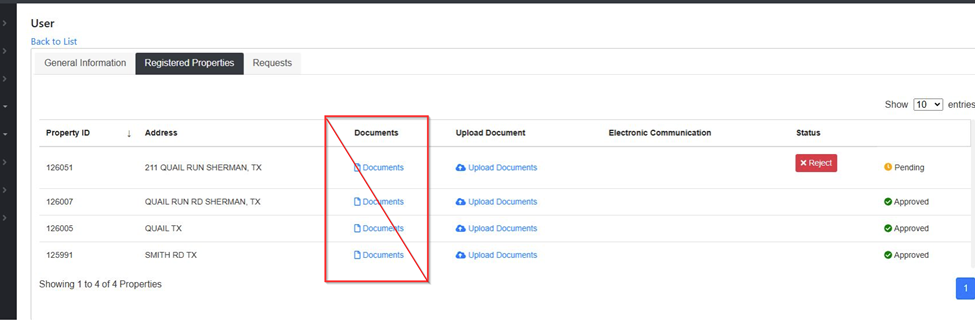
Admin Portal: Removed ‘Documents’ column from the Registered Properties grid.
- The ‘Documents’ column has been removed from the Users > Registered Properties grid. We have recently updated the functionality of the documents tab in the Taxpayer Portal and this column was no longer needed.
- You can now view all documents uploaded through the ‘Documents’ feature in the ‘View Documents’ menu. *This feature is part of our Taxpayer communication feature and may not be used by all clients.