
Product Release Notes
Taxpayer Appeals: New Access to Online Appeals via the Taxpayer Portal
- Moving forward, all taxpayers will access the online appeals site through the new Taxpayer Portal. Existing appeal URLs will now display a ‘Welcome’ message that redirects taxpayers to the Taxpayer Portal and, if applicable, agents to the Agent Portal. BIS recommends updating any links to the online appeals page on your homepage to direct users separately to the Taxpayer Portal and Agent Portal for a smoother experience.

Taxpayer Appeals: Added Situs Address to My Appeals Menu
- The taxpayer My Appeals summary grid now displays the property situs address.

Taxpayer Appeals: Reminder Email for CAD Admin Users
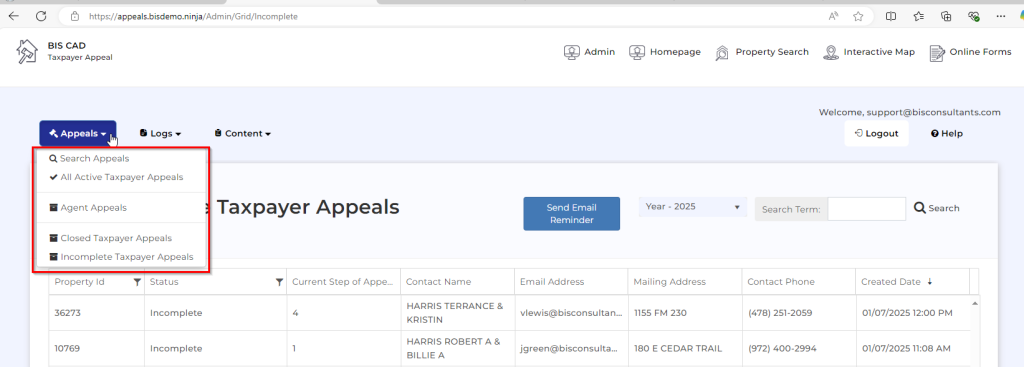
- New Feature for Incomplete Appeals: CAD Admins can now easily send reminder emails to taxpayers with incomplete online appeals. By accessing the online appeals dashboard from the ADMIN panel, admins can use the new ‘Send Email Reminder’ button in the Incomplete Taxpayer Appeals view. This feature sends a reminder email to all taxpayers listed in the grid, prompting them to log in and complete their appeals. Please note, each incomplete appeal will only receive one reminder email per day.
- The incomplete reminder email template is editable within the ADMIN Online Appeals Email Templates section. Additionally, the button that triggers these reminder emails can be configured in the ADMIN settings.

Taxpayer Appeals: My Appeals summary linked to Property Search
- The Property ID in the taxpayer appeals My Appeals summary grid is now linked to the client’s production Property Search page. This dynamic URL link can be easily configured through the ADMIN panel settings

Taxpayer Appeals: Updated Admin Appeals Dashboard Views
- The Appeals menu now features simplified dashboard views, offering Admin users more streamlined options for managing appeals. The updated views include: Search Appeals, All Active Taxpayer Appeals, Agent Appeals, Closed Taxpayer Appeals, and Incomplete Taxpayer Appeals, making it easier to access and manage key appeal information.
Taxpayer Appeals: Informal Hearing Information can now be displayed for Taxpayer
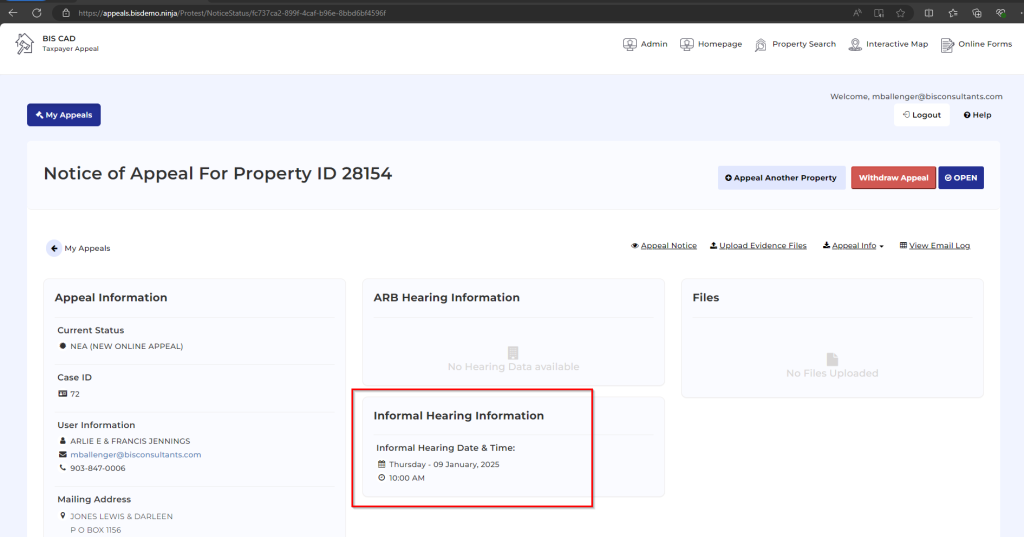
- New Informal Hearing Information Feature for Harris Clients: Informal Hearing Information can now be retrieved from the Appraiser Meeting screen in PACs and displayed on the taxpayer’s appeal detail page. For clients who prefer not to display this information online, the Informal Hearing Information section can be easily configured through the ADMIN settings.
Taxpayer Appeals: Updated Accept and Reject Requirement for Settlement Offer
- Updated Online Appeals Settlement Offer: The settlement offer process now requires taxpayers to choose either the ‘I Accept’ or ‘I Decline’ option before signing and submitting the offer back to the appraisal district, ensuring clearer decision-making and streamlined submissions.

Agent Portal: Enhanced gent Appeal Summary Email
- The Agent Appeals Summary email notification for CAD Admins now includes the appeal reason(s) selected by the agent when filing their online appeal.

Agent Portal: Updated Terms and Conditions Agreement
- The Agent Portal registration process has been updated to include a terms and conditions agreement. New agents are required to agree to the site’s terms and conditions before completing their registration. A clickable link to the terms and conditions will open in a new browser window for review.
- The Agent Portal terms and conditions can be fully customized by the client through the ADMIN settings.

Agent Portal: Updated Agent Portal Menu
- The ‘Property Search’ menu button in the Agent Portal has been renamed to ‘Property List’ to align with the page header, ensuring consistency and improving navigation clarity.

Agent Portal: Updated AOA Maintenance Option for Revoke AOA
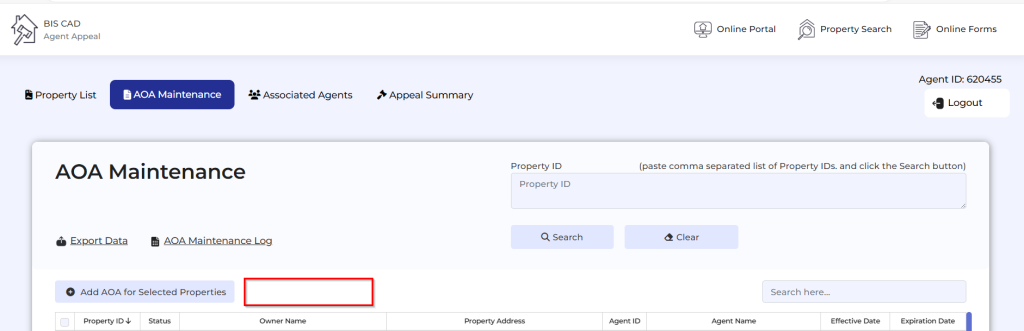
- The Agent Portal’s AOA Maintenance feature allows agents to revoke an AOA directly within the online portal. Clients can now enable or disable this feature through the ADMIN settings panel, providing greater control over AOA management.

Agent Portal: Updated Combined Appeal Reason
- The Agent Portal’s eFile appeal submission form now includes the combined protest reason ‘Incorrect appraiser (market) value and/or value is unequal compared with other properties,’ aligning with the Texas State Comptroller Form for consistency.
