Property Search: Property Deed History display ordered by descending date
- Property Deed History will now be sorted and displayed by deed date in descending order.

Property Search: ‘Download Results’ export from property search results page is updated and pulling all results into Excel sheet.
- The issue with the Excel Export not pulling results into the downloaded sheet is now resolved.

Property Search: Duplicated Taxing Jurisdiction section data resolved for UDI accounts for Harris Clients.
- The issue affecting UDI accounts displaying duplicated data in the Taxing Jurisdiction section has been resolved for Harris API clients.

Property Search: Improvement Detail section updated to pull the ‘Flat Value’ for Segments for Harris Clients
The Improvement Detail section has been updated for Harris PACs clients to display the segment ‘Flat Value’ from PACs on the property search detail page.
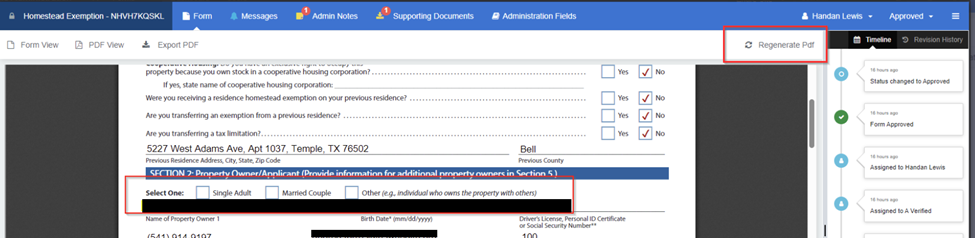
Online Forms: Homestead form is now pulling in the owner information for the check boxes in section 2.
- The issue of missing information on the PDF in section 2 of the Homestead form has been resolved. If you still have previously submitted forms that do not show the taxpayer selection in the check boxes, use the “Regenerate Pdf” button in the top right corner of the PDF view.
Admin: Updated User Roles for Client Administrators
- When adding a new staff user to the Amp/Admin panel there are two user role options, Admin and Appraiser. These user roles have the same permissions and access in the Amp/Admin panel. Non-Harris or Standalone Clients may want to add their appraisers as users in order to assign them to online appeals in the online appeals dashboard. All other users can be added as “Admin” roles.

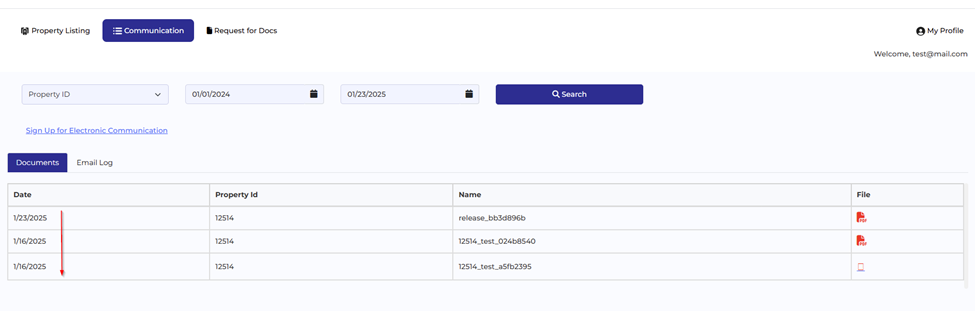
Taxpayer Portal: Communication Menu Documents now sorted in descending order
- The Taxpayer Portal communication menu now sorts the taxpayers available documents in descending date order. You can also search by property ID and/or a date range to narrow your results.
Taxpayer Portal: Updated landing page verbiage.
- The verbiage on the Taxpayer Portal landing page has been updated for all clients. It now includes a brief description outlining what taxpayers can expect from using the portal, as well as references to Tax Code Section 1.085(a-1), which has been requested by several MAPS reviewers
- This text is fully configurable by clients through the Amp/Admin Settings. To customize the verbiage, simply log in to the BIS Admin panel and navigate to Online Portal> Disclaimer Settings> Disclaimer Text.


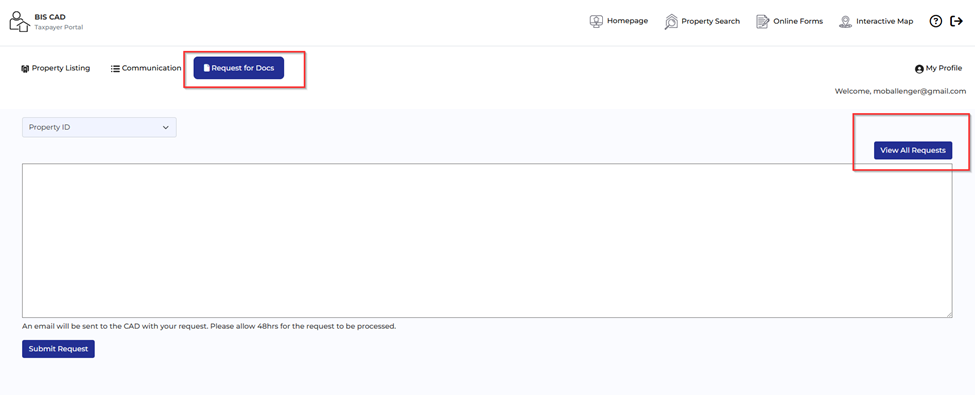
Taxpayer Portal: Request for Docs view for all requests now shows PID in grid.
- The “Request for Docs” feature in the Taxpayer Portal includes a View All Requests option. In this view, the grid has been updated to display the Property ID (PID), providing taxpayers with an easier way to track and manage their requests.